
Installing IDLE on a Chromebook
Installing IDLE on a Chromebook
If you haven’t set up your local Linux environment on your Chromebook yet, please read theProgramming Locally on a Chromebookarticle first.
Choosing a Code Editor
Depending on your project, you may be using IDLE, VS Code, orJupyter Notebooks. We’ll explain how to install IDLE in this article.
IDLE
- We will install IDLE using our terminal. We can do this with the commandsudo apt-get install.
For Python 3:
yourusername@penguin:~$ sudo apt-get install idle3
Copy to clipboard
yourusername@penguin:~$ sudo apt-get install idle3For Python 2:
yourusername@penguin:~$ sudo apt-get install idle
Copy to clipboard
yourusername@penguin:~$ sudo apt-get install idle- The command will ask youDo you want to continue? [Y/n]. You can type “y” and press enter to continue the installation. If you’re worried you don’t have enough room on your Chromebook for the installation, go through and delete extra images or applications you no longer need.
...Need to get 2,160 kB of archives.After this operation, 10.3MB of additional disk space will be used.Do you want to continue? [Y/n] y
Copy to clipboard
...Need to get 2,160 kB of archives.After this operation, 10.3MB of additional disk space will be used.Do you want to continue? [Y/n] y- Once the installation completes, open your search and search for “idle”. If you’re using Python 3, open the version of IDLE that has “3.X” next to it. If you’re using Python 2, open the version simply labeled “IDLE”.
- It’ll open the Python shell first, so we’ll want to open a new file. Do this by opening the “File” menu and clicking “New File”.
- Add aprint()statement to your new file so we can test it.
- Now, in the new file window, open the “Run” menu and click “Run Module”.
- If you’re prompted to save the file, click “Okay” and give your file a name.
- Your python program will output in your shell!
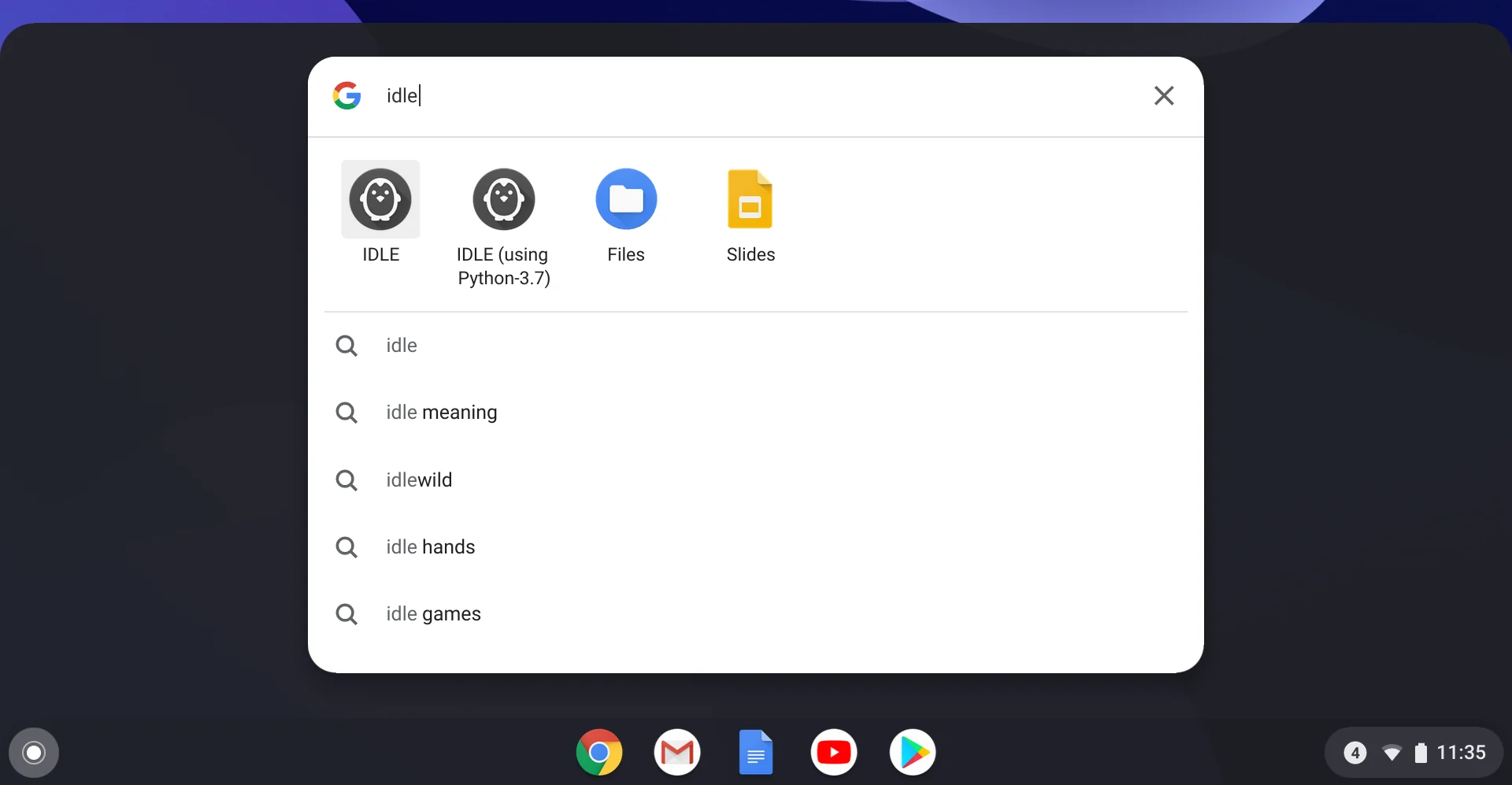
Open IDLE 3
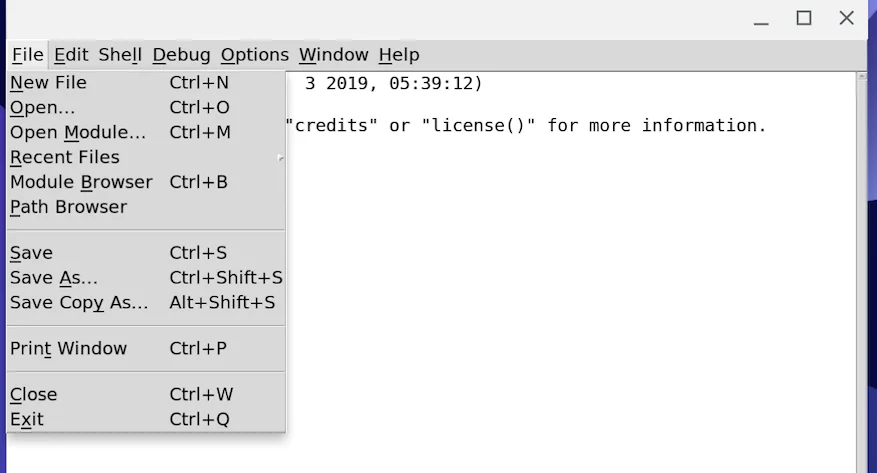
Open a new file
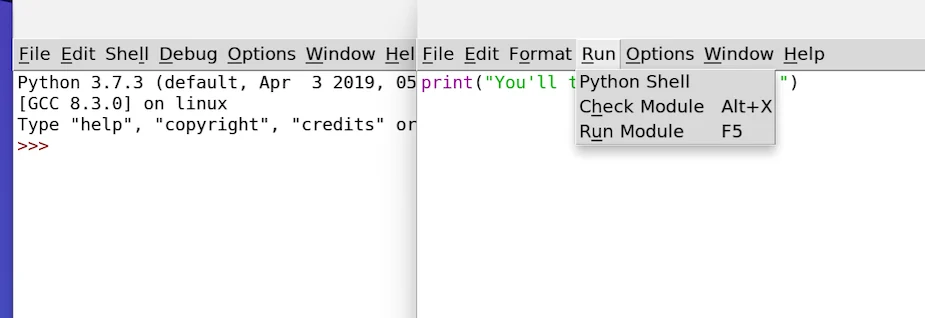
Run the program
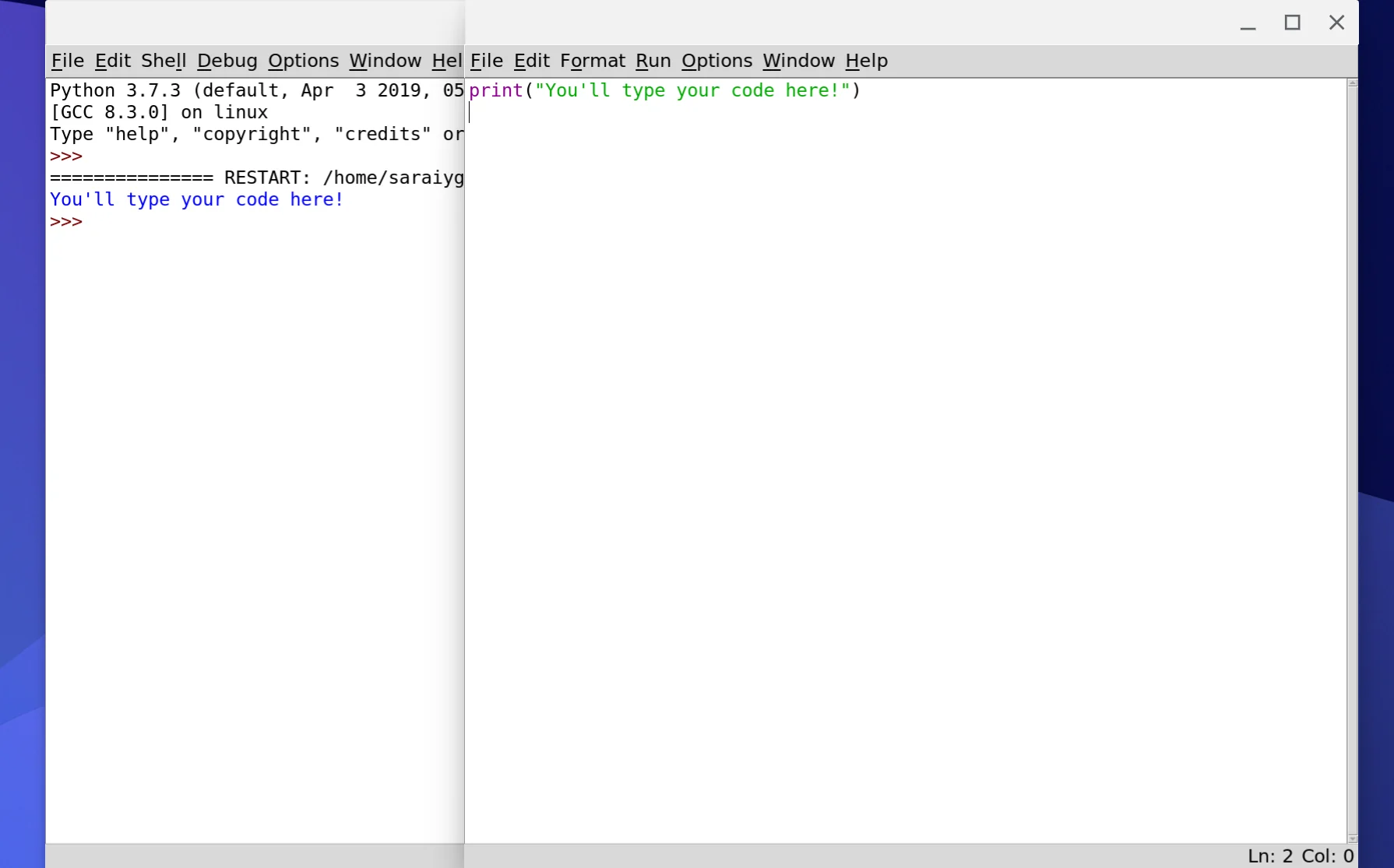
It ran!
Programming Locally
While there are some limitations toprogramminglocally on your Chromebook, you can still program in many languages.
The following articles will help you set up a specific language or tool on your Chromebook:
- Programming in Python on a Chromebook
- Installing Jupyter Notebook on a Chromebook
- Web Programming on a Chromebook
'The Codecademy Team, composed of experienced educators and tech experts, is dedicated to making tech skills accessible to all. We empower learners worldwide with expert-reviewed content that develops and enhances the technical skills needed to advance and succeed in their careers.'
Complete Payment to Unlock Full Guide & Source Code
You are viewing the 30% preview. Join TopCourseAI Pro to unlock the remaining 70% of this article, unblur all code snippets, and gain full access to all 412 technical projects and guides.
Ready to access the complete step-by-step tutorial?
Gain full unhindered access to all 412 technical projects and guides, unblur all source code snippets, and download runnable scripts.
Related Blueprints & Guides
View all 166 →Android Studio Quick-Start Guide
Android Studio often intimidates beginners, but by learning a few handy shortcuts and getting the lay of the land, we can navigate this powerful development environment with ease.
Developer toolsApache Kafka Tutorial: A Complete Guide for Beginners
Apache Kafkais a well-known distributed event streaming platform designed to efficiently manage real-time data feeds. It was originally developed by LinkedIn in 2011 and later open-sourced. Apache Kafka has gained immens...
Developer toolsBuilding Websites with Wix
Creating a website has never been easier. Previously, making a presentable website meant learning HTML, CSS, andJavaScript. The whole process could take weeks, months, or even years before creating a website that you’re...
Ready to build production-grade AI systems?
Enjoyed this guide? Continue exploring our library of 166+ production blueprints, multi-agent swarms, and autonomous agent systems with 100% unblurred, executable source code.