
How Users Scan: Learning from Eye Tracking Research
How Users Scan: Learning from Eye Tracking Research
You designed a beautiful web page. The color schemes and typography are perfect, the assets are beautiful, and the call-to-actions are intuitively positioned. Given all these things, you can count on users to interact with your page exactly as you intended, right?
Probably not.
According to a study from the Nielsen Norman Group, the average page visit lasts less than a minute, leaving users the ability to read about a quarter of the text on the pages they visit.
As a designer, you must acknowledge that users will not be on your page for long, and during the time they are on your page, they are not likely to read it carefully. Users will scan the page to find exactly what they’re looking for, as quickly as possible, but there are techniques you can employ to use this to your advantage.
In this article, we’ll cite and explain research studies that investigate how users typically scan web pages and discuss techniques to mitigate this behavior.
Several studies have shown that users don’t read very much on web pages. Let’s accept that and aim to understand what they do read and how they read it.
Research has found that there is a primary pattern in which users scan content on web pages; the “F” Pattern.
Think fast.
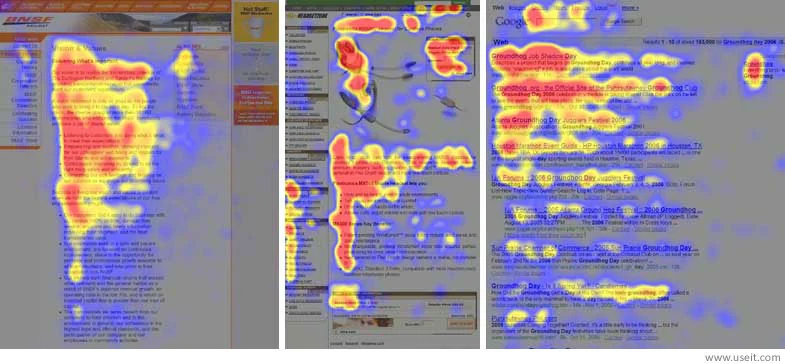
Below you can see an example of the “F” Pattern.
IMAGE
In 2006, NN/g conducted a study where they recorded how 232 users read thousands of web pages.They found the predominant pattern in which users consumed a web page resembled the letter “F”.
The “F” Pattern study provides us with more confidence that users won’t read much of your web page, but offers a good explanation of what a user is likely to read. This type of user is trying to be most efficient when scanning the page.
They are most likely to scan the first area of visible content, move down and scan the second area of visible content that covers a shorter area, then move down in a vertical motion to scan the rest of the content.
While the “F” Pattern is the most common way in which users scan web pages,this follow-up study by NN/g in 2017 found several other common patterns. It’s important to address each one, so that we are aware of all the common ways users scan.
These include:
- Layer-cake Pattern
- When the user scans headings and subheadings and skips the normal text.
- Spotted Pattern
- When the user skips big chunks of text and scanning because they are looking for something specific, such as links, digits, a particular word of a set of words with a shape (like an address or signature.
- Marking Pattern
- When the user keeps their eyes focused in one place as the mouse scrolls or finger swipes the page. This happens more on a mobile device.
- Commitment Pattern
- When the user is fixated on almost everything on the page. If the user is interested in the content, they will read through all of the text in a paragraph or entire page
- Bypassing Pattern
- When the user deliberately skips the first words of the line when multiple lines of text in a list start with the same word(s)
At what point did you stop reading the words “when the user”?
We now understand that users can’t be relied upon to read web pages thoroughly. We can only count on them to scan web pages, and when they do it’s likely to be in an “F” Pattern. There are techniques we can employ to increase the amount users will read, improve how they read it, and overall get them to stay on our page longer.
- Make the top line of your “F” remarkable. It’s the first thing a user will typically see. Make sure the purpose of your page is stated clearly and beautifully.
- Make sure the middle line of your “F” contains the most important points in brief paragraphs (1-3 sentences), if applicable.
- Use whitespace liberally between sections. Users will fatigue quickly if you present them with a wall of text and no breaks.
- Group similar content together and distinguish the content with a visual aid. (e.g. background, border, whitespace, etc.)
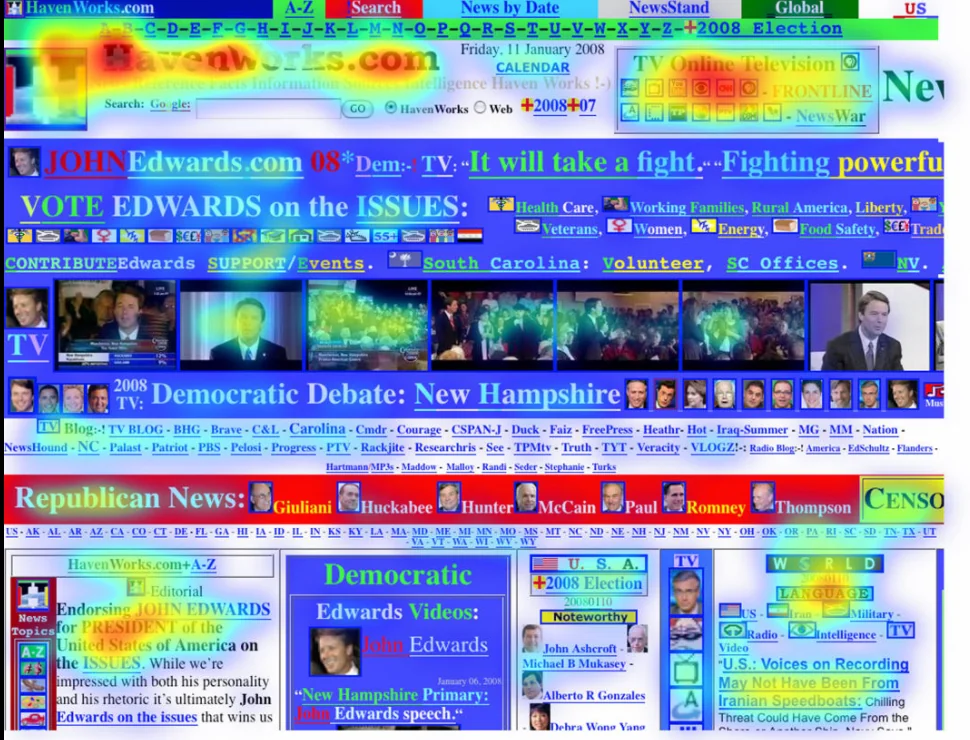
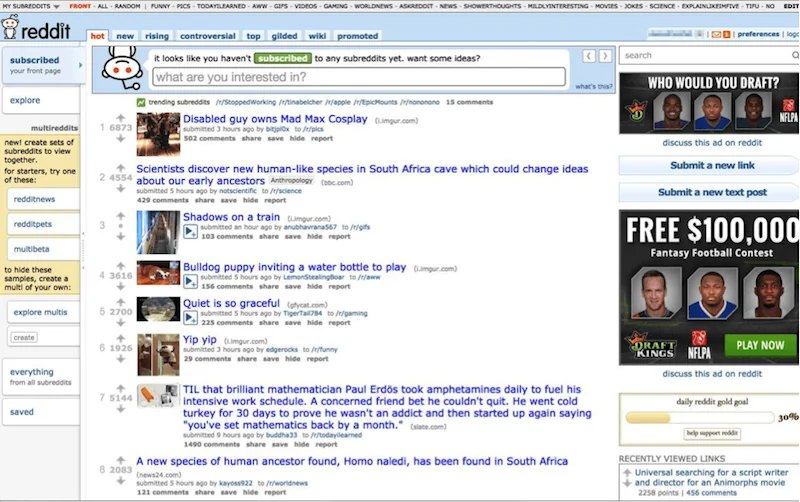
Here are a few examples of badUI designwith respect to readability. We’ll offer our opinion on why it’s good or bad, and you should think about how you might improve it, as a designer.
Example 1: Campaign Website
IMAGE
Example 2: Reddit
IMAGE
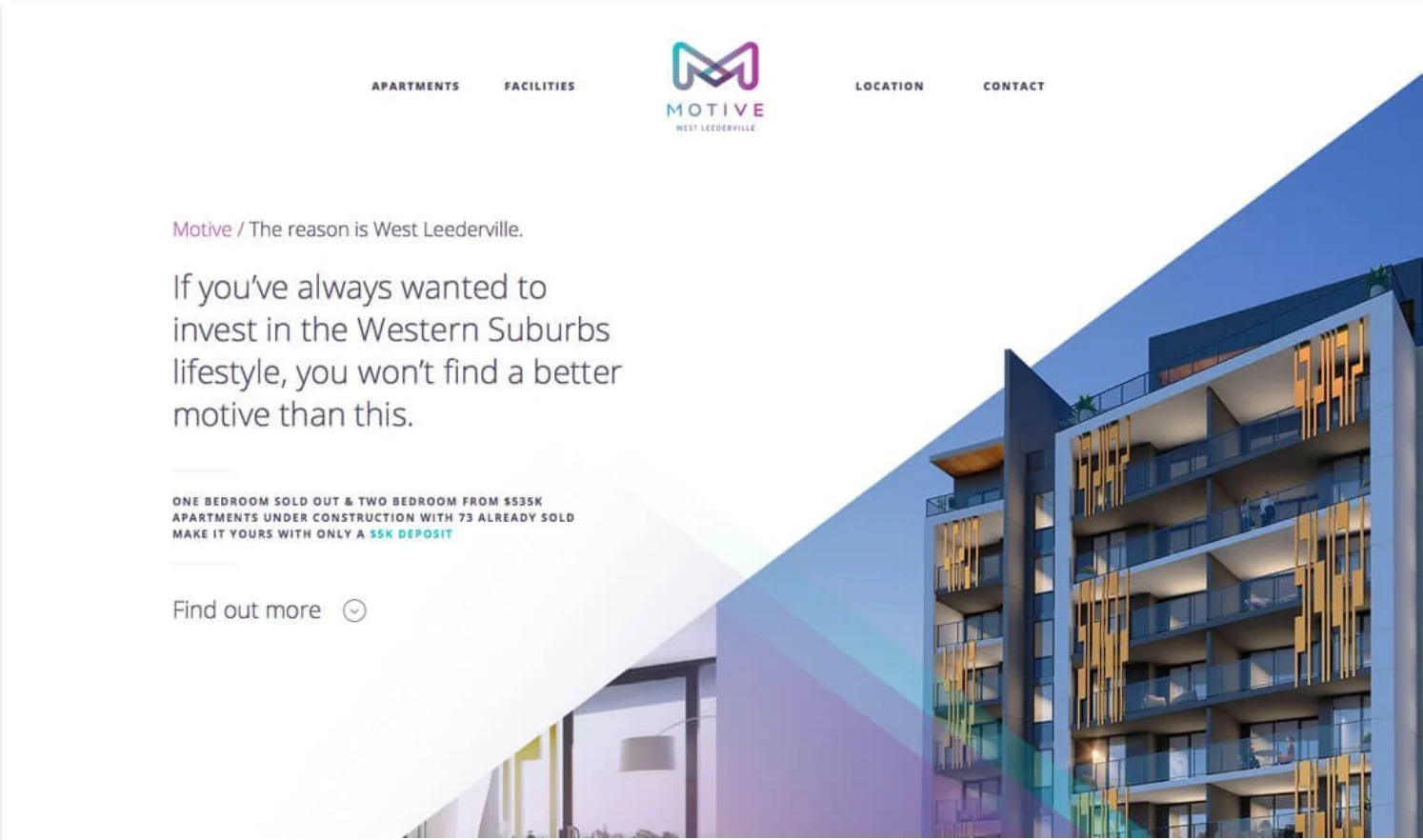
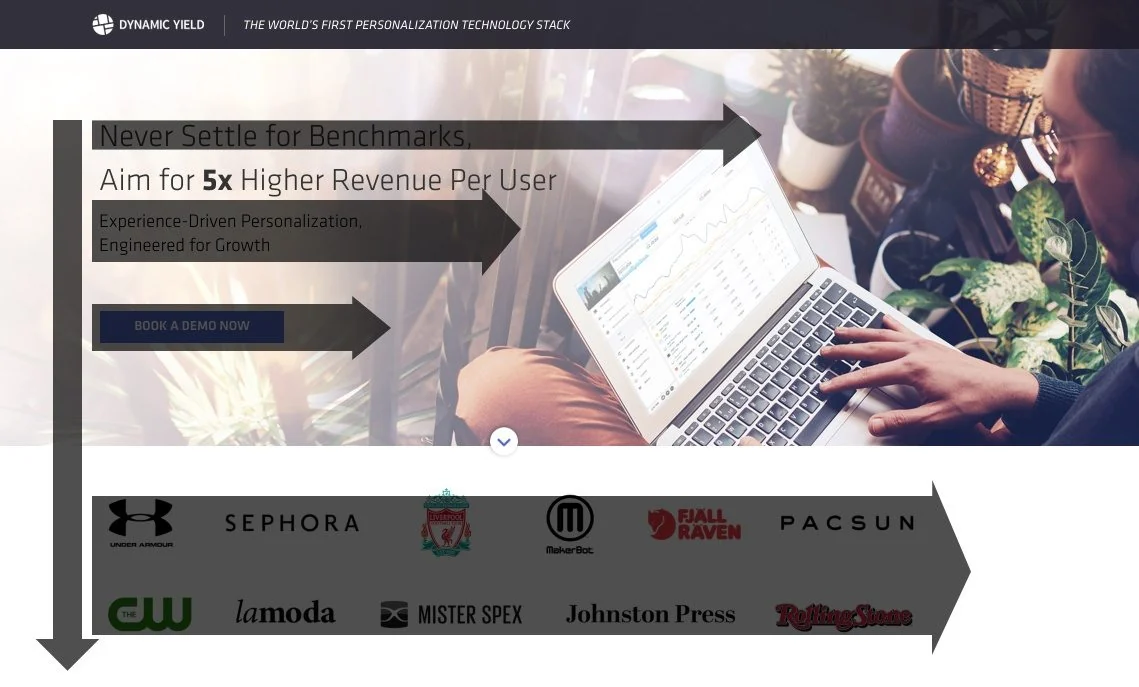
Based on the mitigation techniques we mentioned earlier, here are a few examples of designs that increase the amount users will read and how they read it.
Example 1: Design Shack
IMAGE
Example 2: Dynamic Yield
IMAGE
As we can see, while users may not spend a lot of time on websites, we can utilize certain layout and spacing techniques to guide their experience. Studies have shown that the users read in an “F” Pattern, starting at the top and then scanning along the spine. Designers can take advantage of this behavior and craft their designs to mimic this practice.
If you would like to learn more, take the time to read the original NN/g article about “F” patterns and their follow-up study from 2017. While reading, think about how you can best organize your designs to catch a readers attention and where you should place detailed information. Next time you go to a new website, take a moment to see if you default to the “F” pattern or read it in earnest! What do your reading patterns say about a website’s design?
'The Codecademy Team, composed of experienced educators and tech experts, is dedicated to making tech skills accessible to all. We empower learners worldwide with expert-reviewed content that develops and enhances the technical skills needed to advance and succeed in their careers.'
Complete Payment to Unlock Full Guide & Source Code
You are viewing the 30% preview. Join TopCourseAI Pro to unlock the remaining 70% of this article, unblur all code snippets, and gain full access to all 412 technical projects and guides.
Ready to access the complete step-by-step tutorial?
Gain full unhindered access to all 412 technical projects and guides, unblur all source code snippets, and download runnable scripts.
How To Use Cursor AI: A Complete Guide With Practical Example
Next BlueprintHow to Abort a Merge in Git
Related Blueprints & Guides
View all 166 →Accessibility on the Platform
Codecademy is committed to providing a high-quality learning experience for all learners. That includes accommodating different usage forms such as auditory, motor, or visual restrictions, limited hardware, or other acce...
Web developmentAffordances, Signifiers, and Clickability
For users on the web, the mouse click is perhaps the most fundamental human-computer interaction. The webbecamethe web partially through the power ofhypertext, or text in one document that links to other documents or res...
Web developmentAuthentication and OAuth
Authenticationis the process used by applications to determine and confirm identities of users. It ensures that the correct content is shown to users. More importantly, it ensures that incorrect content is secured and u...
Ready to build production-grade AI systems?
Enjoyed this guide? Continue exploring our library of 166+ production blueprints, multi-agent swarms, and autonomous agent systems with 100% unblurred, executable source code.