
Going Beyond with Netlify
Going Beyond with Netlify
This article presumes knowledge of Netlify and continuous deployment. Follow the steps in“Getting Started with Netlify”and“Deploying a Static Site with Netlify”to prepare for this article or get a refresher.
Going beyond
In this article, you will explore and discover some other key Netlify features that can take your sites to the next level! Although the free account comes with many great perks, Netlify has so much more to offer.
Custom domains and HTTPS
Netlify generates a defaultURLfor each site, which is great for deploying minimum viable products and proofs of concept. However, you can take your site one step further byadding a custom domainandconfiguring HTTPS.
To do so, navigate to your site’s dashboard and clickSet up a custom domain:
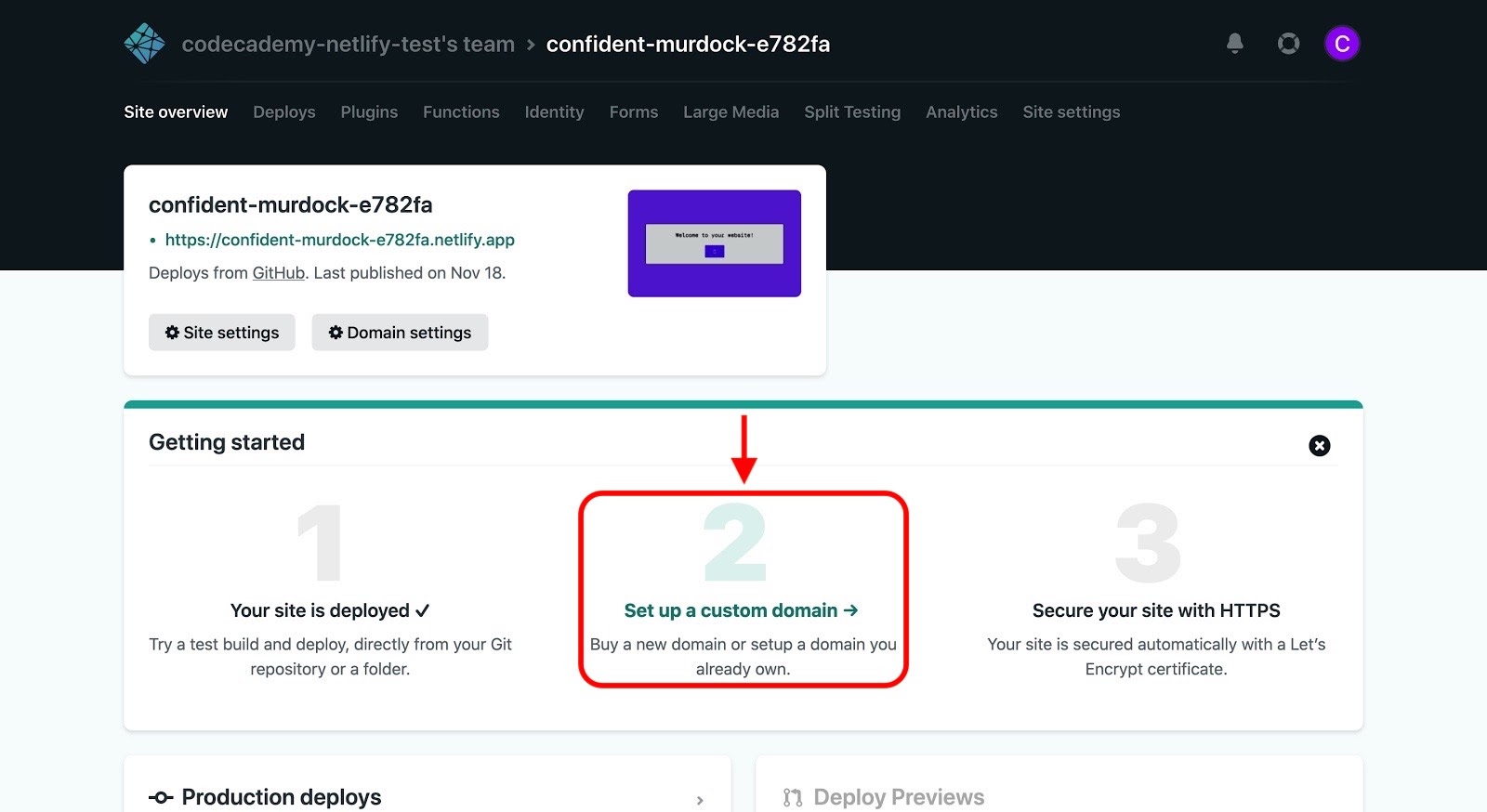
Screenshot of the site dashboard
You’ll then be asked to enter your custom domain, but first, note the following:
- If youpurchase a domain from Netlify, your site’sDNSwill automatically be configured.
- If you purchase a domain from any other source (e.g.,NameCheap) and don’t want to useNetlify DNS, you’ll need toconfigure your external DNS provider to point your domain to Netlify.
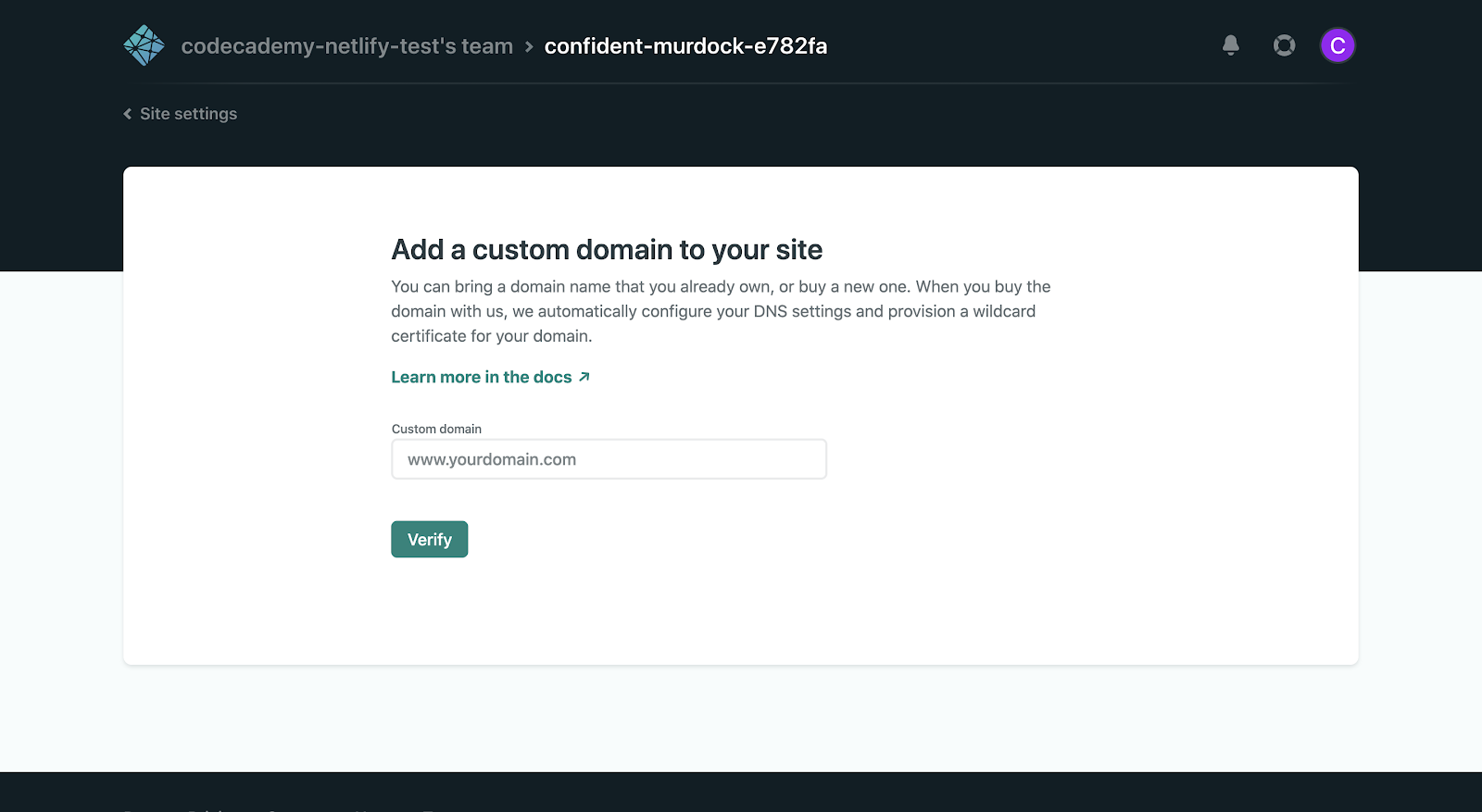
Screenshot of verifying a custom domain
ClickVerify, and if successful, you’ll be asked if you’re the owner of the domain.
After adding your domain, you’ll be directed to the “Custom domains” panel in theSite settingstab:
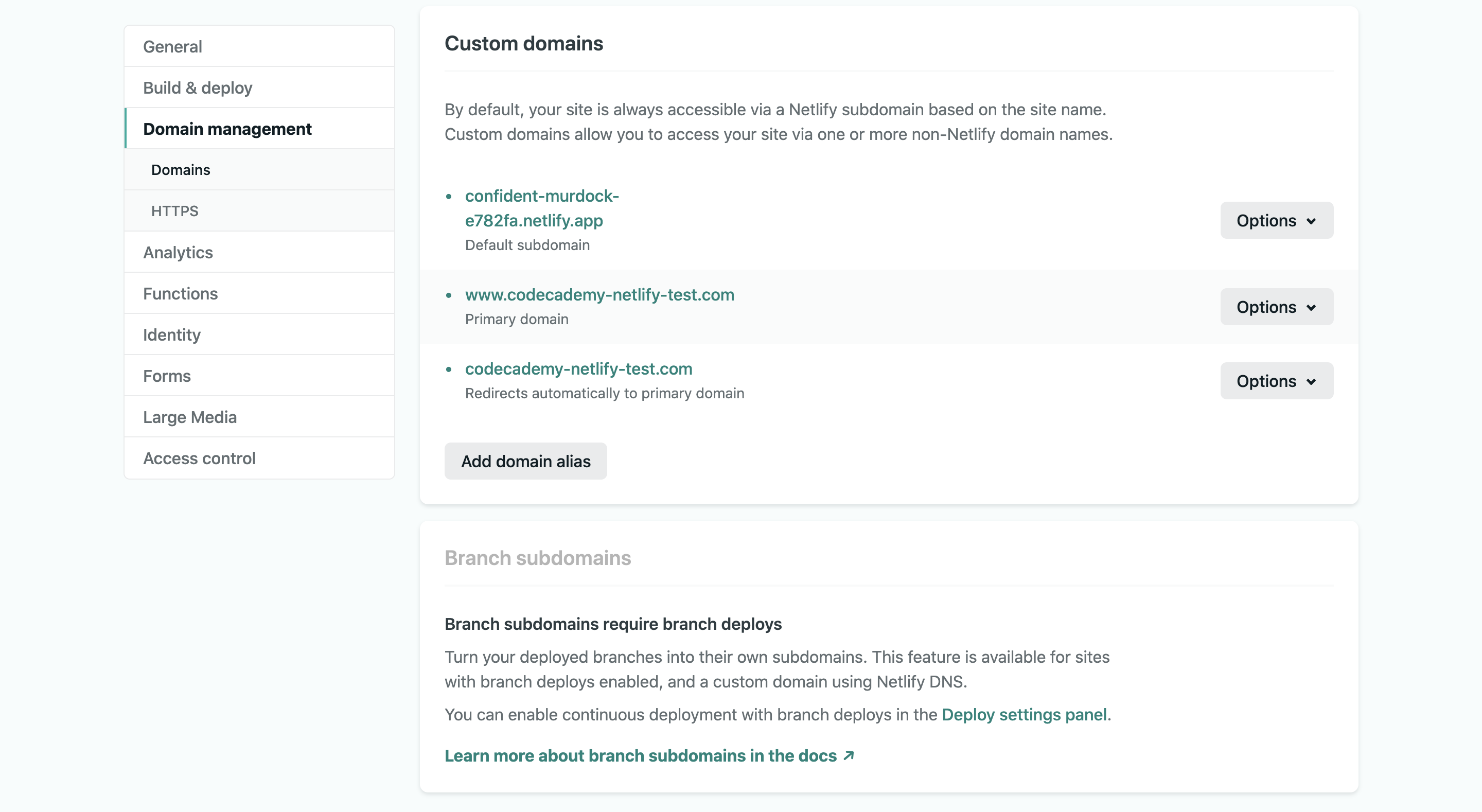
Screenshot of the "Domain management" section of the "Site settings" tab
Here you can configure your site’s various domains and evenadd multiple custom domains.
Next, click theHTTPStab on the left. If you correctly configured your site’s DNS, it should automatically be secured with aLet’s Encryptcertificate, like so:
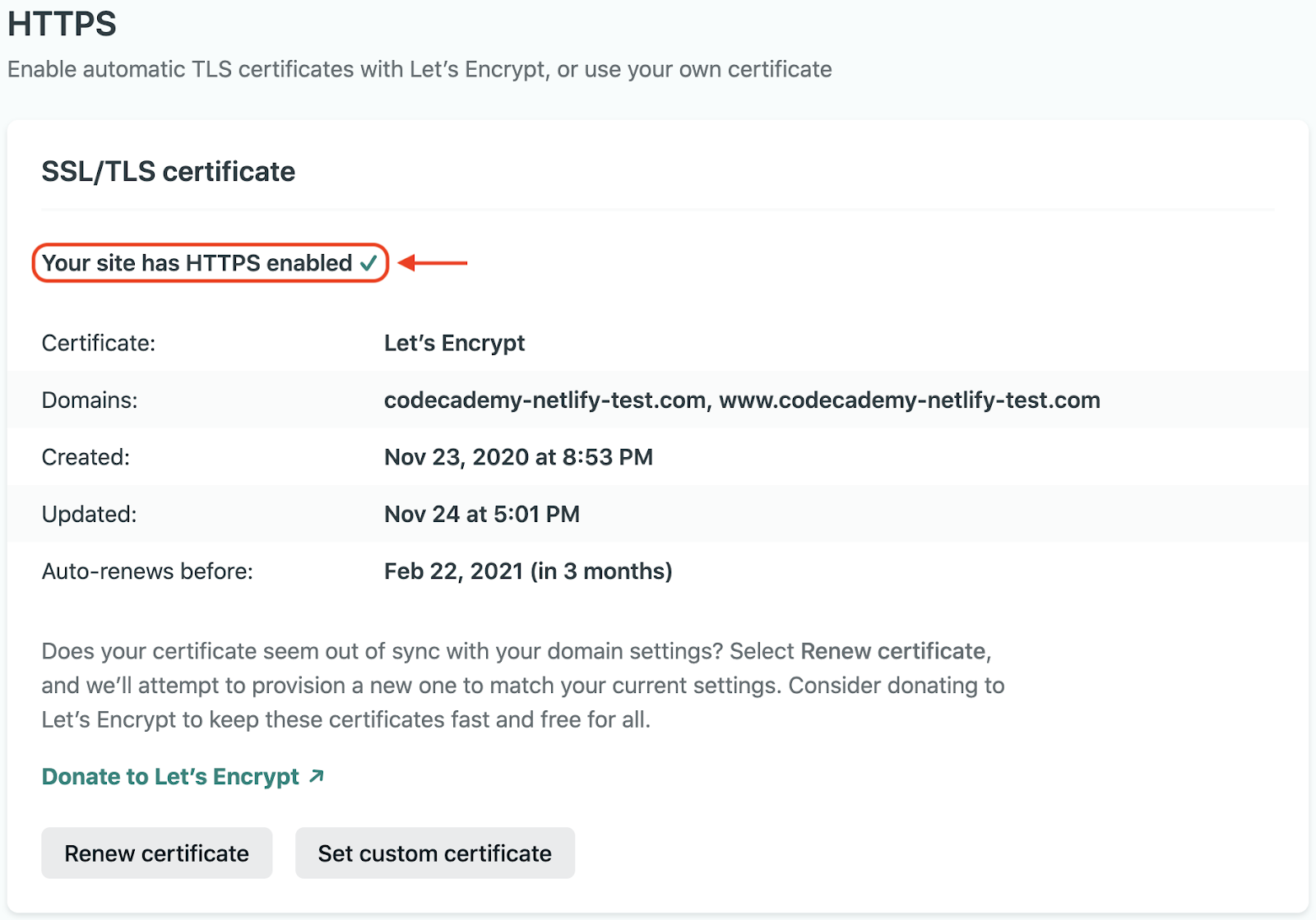
Screenshot of the "HTTPS" section of the "Site settings" tab
Notice that the panel says “Your site has HTTPS enabled”.
If you run into any problems with setting up your site’s DNS or HTTPS, check out Netlify’stroubleshooting documentationfor more guidance.
Build plugins
Netlify’sBuild Pluginsenable you to add powerful capabilities to your site builds through a directory of community plugins or by creating your own.
To access these plugins, go to thePluginstab of your site’s dashboard:
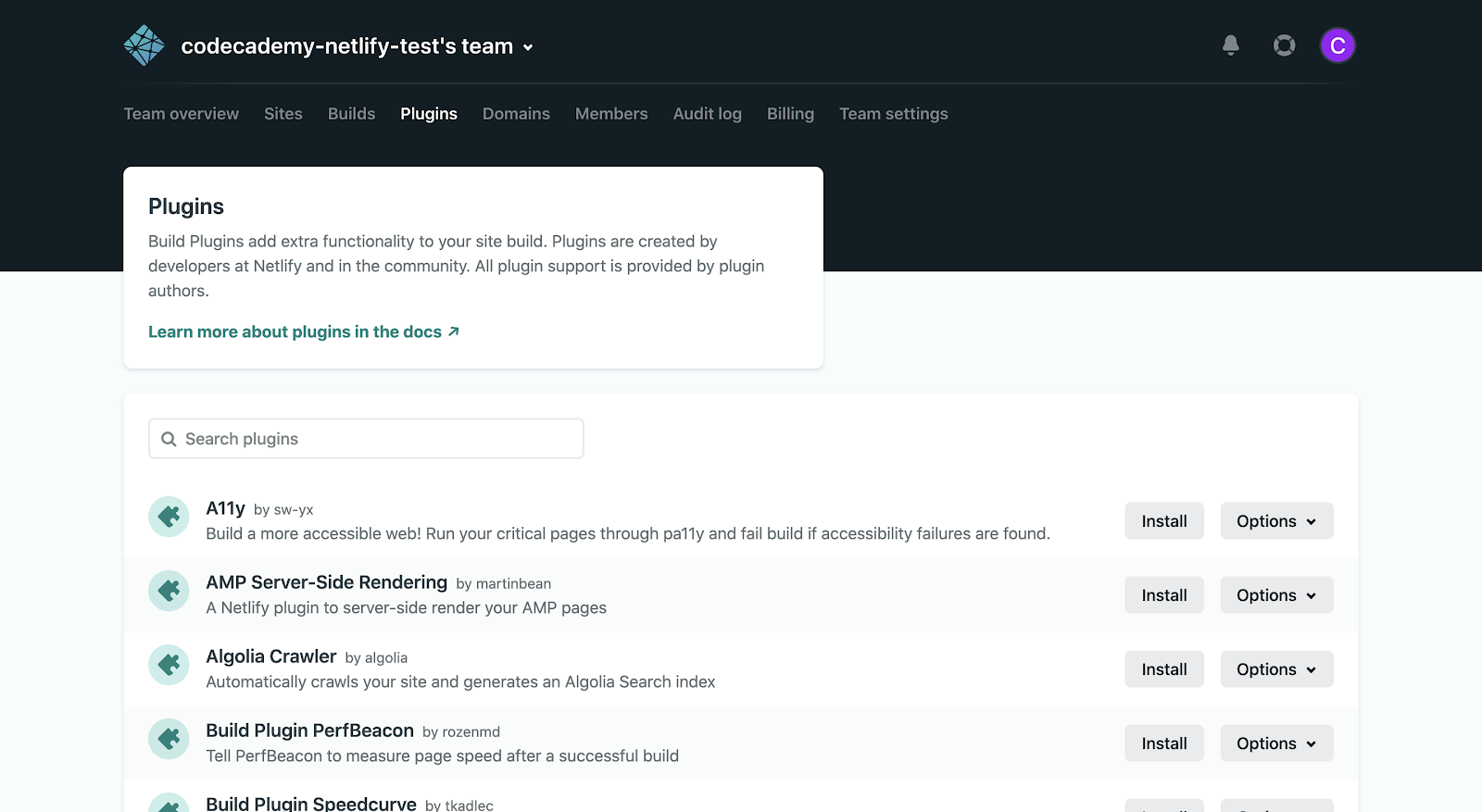
Screenshot of the "Plugins" tab
Here you can view a list of plugins created by developers at Netlify and community members. You caninstall a pluginby clicking theInstallbutton next to the specific plugin that you want to install. Note that theOptionsdropdown next to each plugin contains a link to its documentation, npm package profile, and issue tracker.
If you wish, you can evencreate your own plugins!
Identity
Using Netlify’sIdentityservice, you can easily manage signups, logins, password recovery, and more without implementing your own authentication functionality.
Head over to theIdentitytab of your site’s dashboard:
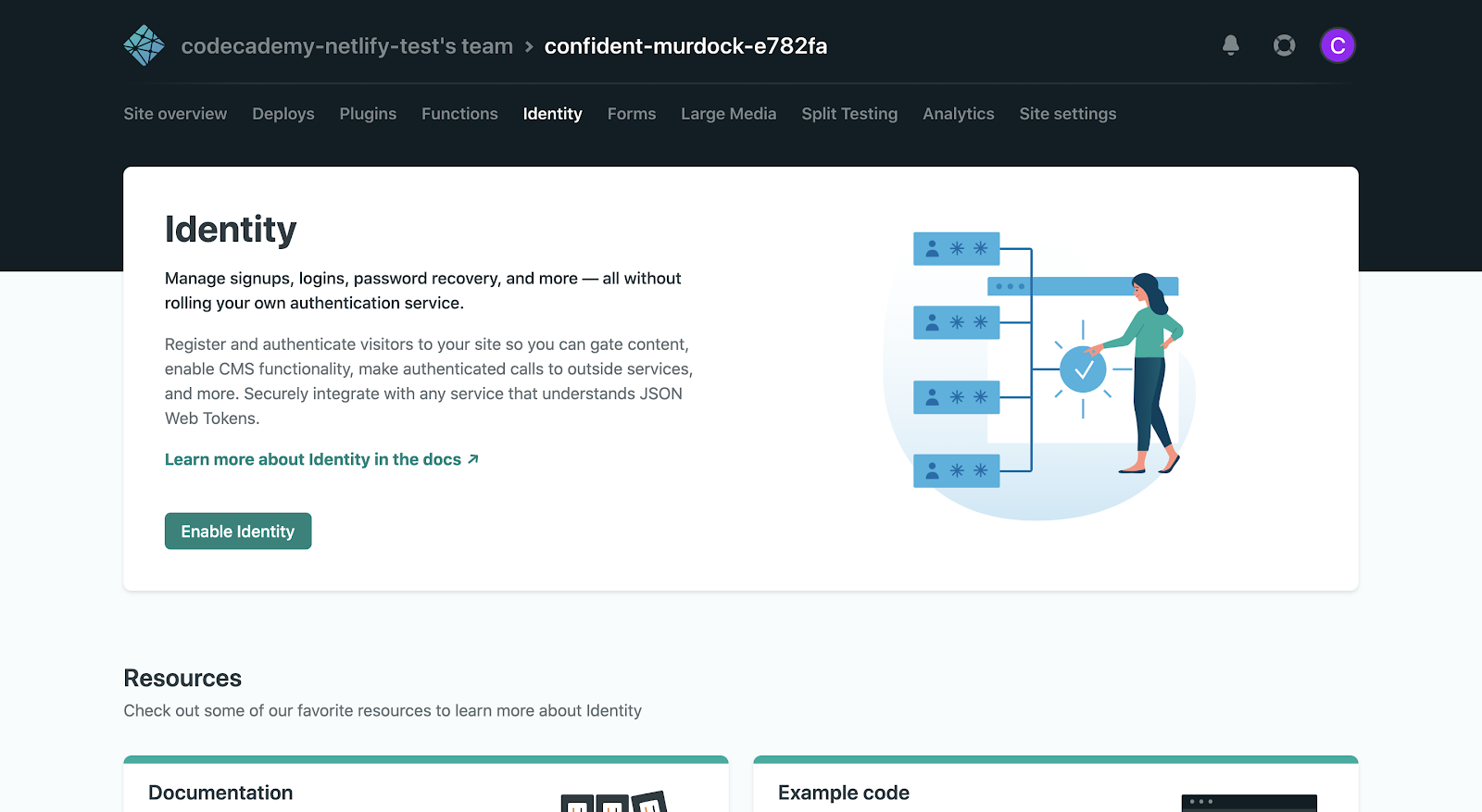
Screenshot of the "Identity" tab before enablement
To get started, clickEnable Identityand then you’ll see an Identity dashboard for your site:
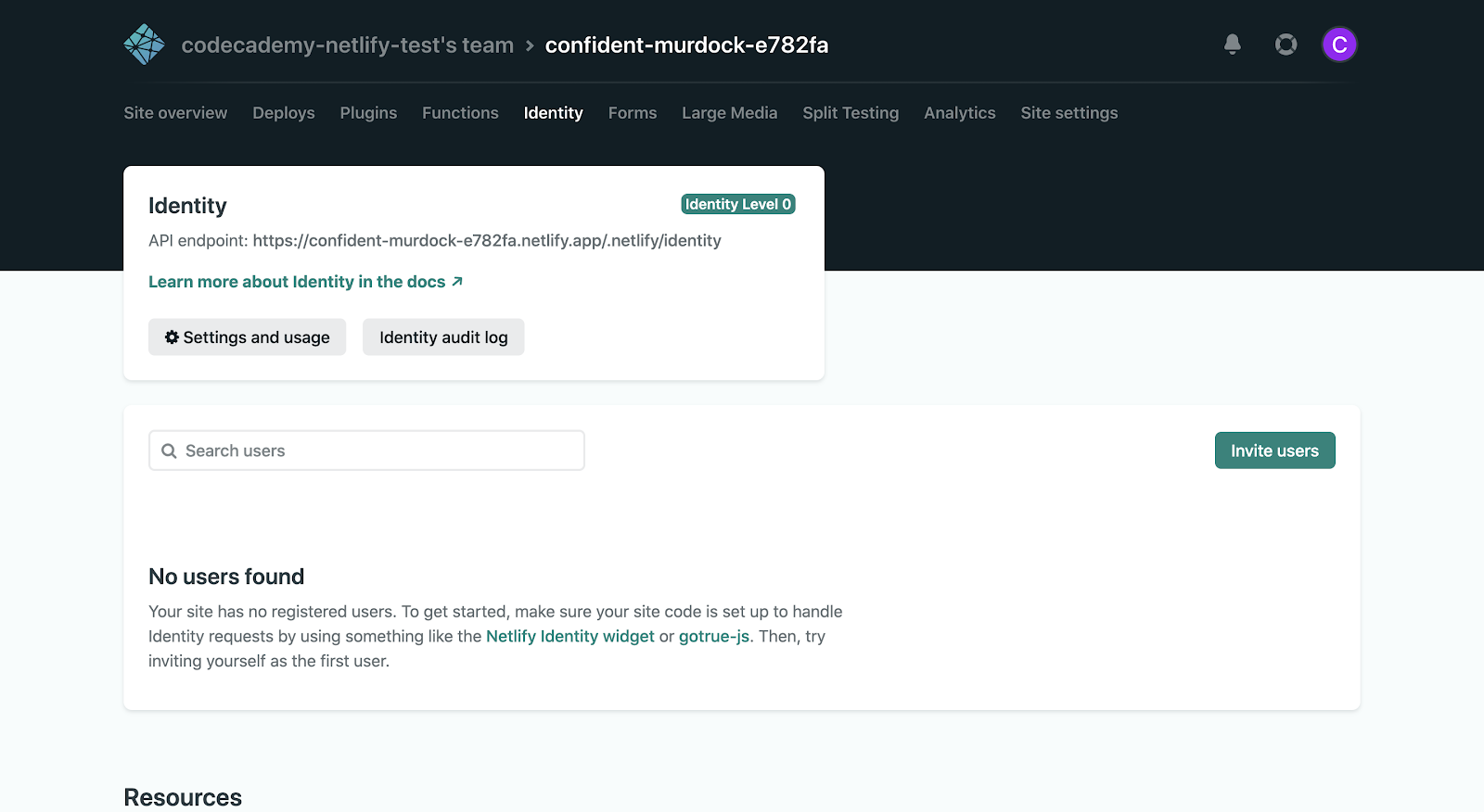
Screenshot of the "Identity" tab after enablement
You can access the various Identity settings for your site by clickingSettings and usage. There are a lot of interesting and useful features like theNetlify Identity widget, which enables users to register for your site. You can eveninvite users to register!
Premium capabilities
With the paidNetlify plans, you can unlock even more capabilities like:
- Ateam audit logthat keeps track of actions made by team members, so you know what changes were made, when, and by whom.
- The ability toprioritize time-sensitive builds, which enables you to build and deploy your site as soon as possible.
- Increasedbandwidthandbuild minutesso that you can scale up your site.
- Netlify Analytics, a service that provides data captured by Netlify servers (e.g., pageviews) through convenient charts so that you can easily analyze your site’s trends.
- Password protectionto hide all or part of your site behind a password that you control.
Wrapping up
While we’ve shown you how to deploy a static site with Netlify, there are so many other ways to do this — Netlify just makes this process much easier.
For your inspiration, check out thesecase studieson how Netlify has enabled numerous companies to get a site up and running in no time.
Now it’s your turn to build a site of your own and share it with the world through Netlify. We can’t wait to see what you make!
'The Codecademy Team, composed of experienced educators and tech experts, is dedicated to making tech skills accessible to all. We empower learners worldwide with expert-reviewed content that develops and enhances the technical skills needed to advance and succeed in their careers.'
Complete Payment to Unlock Full Guide & Source Code
You are viewing the 30% preview. Join TopCourseAI Pro to unlock the remaining 70% of this article, unblur all code snippets, and gain full access to all 412 technical projects and guides.
Ready to access the complete step-by-step tutorial?
Gain full unhindered access to all 412 technical projects and guides, unblur all source code snippets, and download runnable scripts.
Going Beyond with Heroku
Next BlueprintGoogle ADK Visual Agent Builder: Build Your First AI Agent
Related Project Guides
View all 412 →Accessibility on the Platform
Codecademy is committed to providing a high-quality learning experience for all learners. That includes accommodating different usage forms such as auditory, motor, or visual restrictions, limited hardware, or other acce...
Web developmentAffordances, Signifiers, and Clickability
For users on the web, the mouse click is perhaps the most fundamental human-computer interaction. The webbecamethe web partially through the power ofhypertext, or text in one document that links to other documents or res...
Web developmentAuthentication and OAuth
Authenticationis the process used by applications to determine and confirm identities of users. It ensures that the correct content is shown to users. More importantly, it ensures that incorrect content is secured and u...
Ready to start building your next project?
Enjoyed this guide? Continue exploring our library of 412+ step-by-step guides, starter files, and practical projects across Web Development, Mobile Apps, AI, and Design.