
Going Beyond with Heroku
Going Beyond with Heroku
Note: This article is currently teaching deployment usingHerokuwhich no longer offers a free tier plan.
Basics of Heroku
Up to this point, you should knowwhat Heroku isand how to set up an account, as well ashow to deployan app fromGitHub, using Heroku’s interface. In this article you’ll learn about some more key features that can be used to manage your apps.
Going Beyond
Heroku has a lot to offer, even with a free account:
Heroku CLI
Once you know the fundamentals of Heroku and what it can do for you, the next step is installing and learning theHeroku Command Line Interface (CLI). The Heroku CLI is an essential tool in creating and managing apps on the Heroku platform. Once installed, creating an app can be done in as little as two commands:
heroku loginTheheroku logincommand will initiate a login process by prompting you to press any key to open a new page in your web browser. After verifying your credentials in the browser, the CLI will log you in automatically. Next, use the command:
heroku createThis command will create an app and give it a randomly generated name. Additional arguments and options, such asdefining your own app name, can be added.
Config Vars
Anything that you don’t want to appear in your source code (like API keys or database login credentials), as well as anything that varies between environments (like usernames, or URL’s) should be stored inenvironment variables. Heroku’s environment variables are calledconfig vars. To set a config var, navigate to theSettingstab of your app’s dashboard, and clickReveal Config Vars.

Heroku Config Vars
You can also set Config Vars through the CLI. For example:
heroku config:set API_KEY=2RXvacdFdcNWVpLDoaaU8Here, theconfig:setargumentsets the specified config var.
Custom Domain
Every app created on Heroku uses the Heroku domain (your-app-name.herokuapp.com). Changing the name of the app will change the URL, while still keeping it at the “herokuapp.com” domain. But if you already have a domain that you’d like to use instead, you can still deploy your site on Heroku with acustom domain. First, go to theSettingstab in the app’s dashboard.
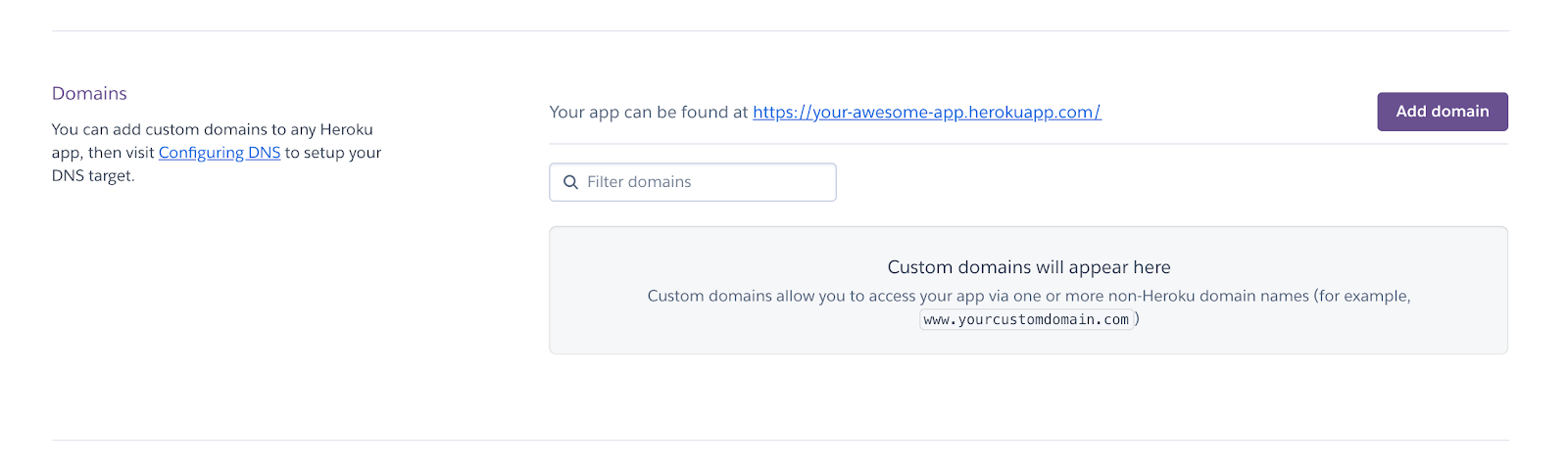
Heroku Domains section that shows what domain is currently hosting your site and an option to filter through your collection of domains
Click theAdd domainbutton and enter your domain in the panel that slides out, then click theNextbutton. You’ll then be given aDNS target, a term for the Heroku domain to give to a DNS provider to be the destination for a custom domain name.
You can also add a custom domain through the CLI by typing:
heroku domains:add www.example.comThe argument,domains:add, adds a domain, and will return a DNS target.
Once you have a DNS target, configure theCNAMEorALIAS/ANAMEin your domain provider’s control panel to point to the Heroku-supplied DNS target. Once the change takes effect, you can visit your heroku app at your own domain!
Adding a Database
Heroku offers a freeHerokuPostgresdata service as an add-on for all customers. Adding a Postgres database to your app can be done in the “Add-ons” section of theResourcestab of your app’s dashboard:
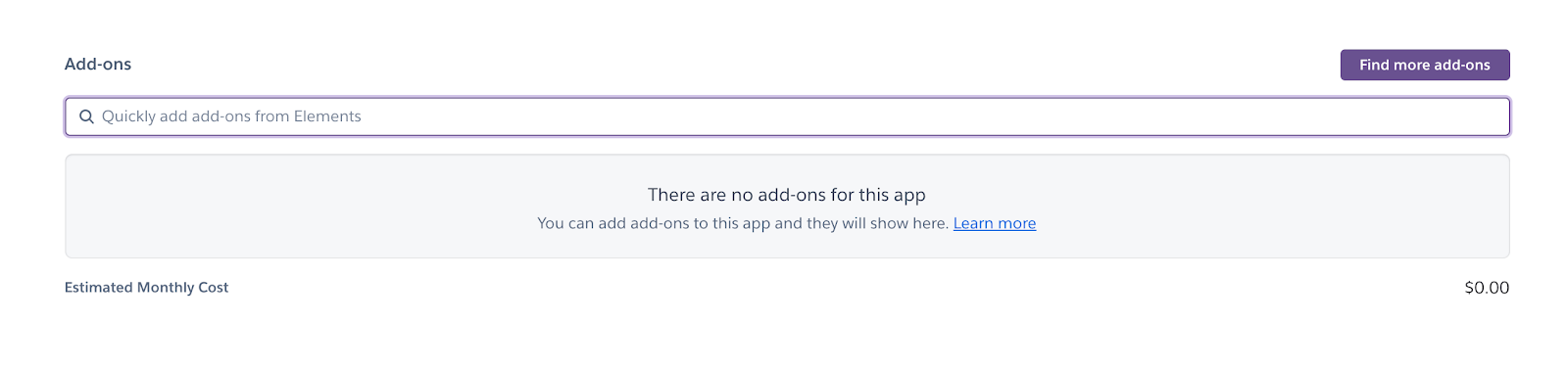
Heroku Add-ons
But it might be more convenient to set up Postgres in the CLI, since you can also interact with the database in your terminal. To provision Heroku Postgres type:
heroku addons:create heroku-postgresql:hobby-devThis command uses theaddons:createargument to create an add-on. Then, theheroku-postgresql:hobby-devargument specifies theadd-on and plan.
Configuring the database is beyond the scope of this article, but each language in theHeroku Getting Started Guidehas a section detailing how to create a table and access the data using the code specific to the chosen language.
Fullstack Application
You’ve learned how to deploy a back-end app with Heroku, but you can also deploy a fully-operational full-stack app on Heroku’s platform. Check outDeploying a Full-Stack App with Herokuto for a guide usingNode.js, or see the theHeroku Getting Started Guidelanguage of your choice.
Premium Features
If your app starts getting an increase in traffic, or you decide on using a custom domain, upgrading to thehobby dynomight be a good idea. With the hobby dyno, you gain a few additional features. For instance, apps on the hobby dyno:
- won’tgo to sleepafter 30 minutes of inactivity.
- can useHeroku SSLto encrypt traffic to and from your site, provided you upload and manage the SSL certificates. (gives you the ability to use HTTPS instead of HTTP in your URL).
- or even better,Automated Certificate Management, which uses TLS certificates, managed and renewed by Heroku. (same as SSL, but no need to worry about uploading and managing certificates).
Beyond the hobby dyno plan, there are professional plans aimed at providing businesses with additional features to fit their needs. Visit theplan estimator pageto see which plan is best suited to your project!
Wrap Up
Way to go! Now you’re aware of some more of the features Heroku to offer, as well as a few commands to get started using the Heroku CLI. There is so much more to learn, as this platform serves everyone from new developers just getting started, to large companies with teams of experienced developers. Try taking your knowledge further by adding some of these features to your own app, or create a new app to test them out and see where they take you!
'The Codecademy Team, composed of experienced educators and tech experts, is dedicated to making tech skills accessible to all. We empower learners worldwide with expert-reviewed content that develops and enhances the technical skills needed to advance and succeed in their careers.'
Complete Payment to Unlock Full Guide & Source Code
You are viewing the 30% preview. Join TopCourseAI Pro to unlock the remaining 70% of this article, unblur all code snippets, and gain full access to all 412 technical projects and guides.
Ready to access the complete step-by-step tutorial?
Gain full unhindered access to all 412 technical projects and guides, unblur all source code snippets, and download runnable scripts.
GitHub CLI Tutorial: Complete Guide to gh Commands
Next BlueprintGoing Beyond with Netlify
Related Blueprints & Guides
View all 166 →Accessibility on the Platform
Codecademy is committed to providing a high-quality learning experience for all learners. That includes accommodating different usage forms such as auditory, motor, or visual restrictions, limited hardware, or other acce...
Web developmentAffordances, Signifiers, and Clickability
For users on the web, the mouse click is perhaps the most fundamental human-computer interaction. The webbecamethe web partially through the power ofhypertext, or text in one document that links to other documents or res...
Web developmentAuthentication and OAuth
Authenticationis the process used by applications to determine and confirm identities of users. It ensures that the correct content is shown to users. More importantly, it ensures that incorrect content is secured and u...
Ready to build production-grade AI systems?
Enjoyed this guide? Continue exploring our library of 166+ production blueprints, multi-agent swarms, and autonomous agent systems with 100% unblurred, executable source code.