
Up Next on Velo
Up Next on Velo
From the Beginning
In the beginning, you used Wix to drag and drop elements, but since then, you’ve done so much more. From creating simple Wix websites to comfortably using the platform to build dynamic websites in Velo, you’ve become a professional Wix developer.
Your Journey
Let’s briefly recap the topics you encountered on your Wix journey.
JavaScript Fundamentals
You first dove into fundamentalJavaScriptconcepts like storing variables, conditionals, functions, arrays, and objects — all of which are critical for creating logic and making websites dynamic.
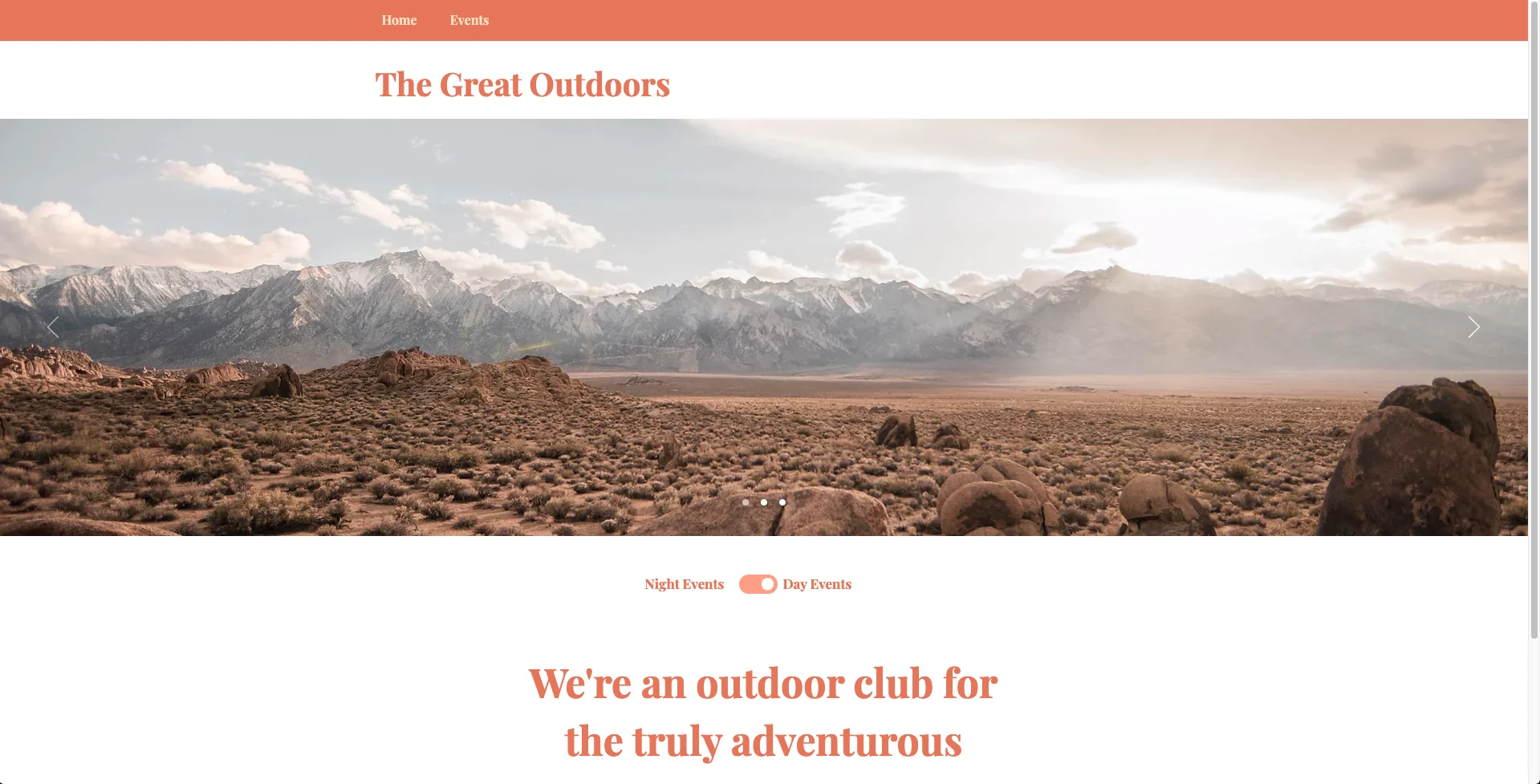
Conditionals: The Great Outdoors
Wix Interactivity
You then brought websites to life by manipulating Wix elements through$wselectors. Additionally, implementing built-in methods and functions like.onMouseIn()and giving users the ability to interact with Wix elements.

Screenshot of the finished "See the Sale" project
Implementing Data
Taking your Wix websites further, you learned how to make websites dynamic by utilizing data with Wix’s built-in Content Collections, Datasets, and dynamic pages, all of which streamline the process of storing and accessing information.
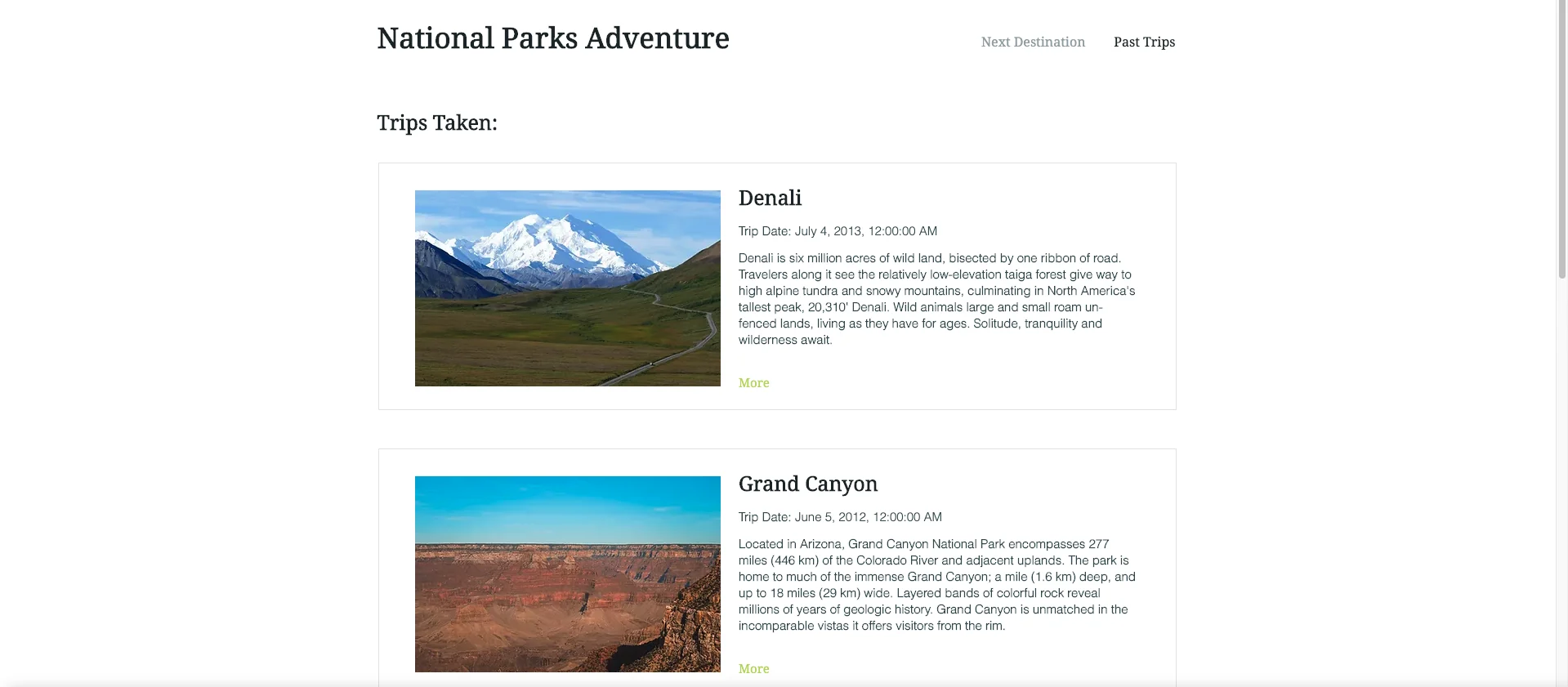
Screenshot of the finished Project "Datasets: National Parks Adventure"
Creating a Backend
Although the work you completed up to this point primarily focused on making the frontend of Wix websites beautiful and interactive, you also learned how a website’s backend is just as important since it handles logic behind the scenes from the user interface.
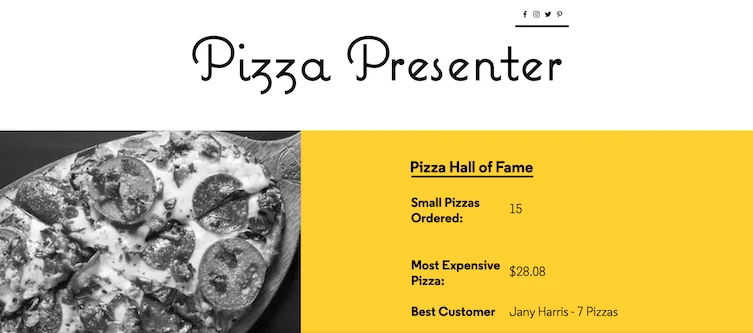
Screenshot of the finished "Backend: Pizza Presenter" project
Fetching Data
To expand on your already powerful Wix websites while cutting down on development time, you accessed and sent resources across the internet through thewix-fetchmodule. For example, instead of building a complex real-time weather database for the “Travel Time” site, thewix-fetchmodule was used to contact a weather API via anHTTP requestand GET current conditions at each of the travel destinations.

Screenshot of the finished "Fullstack: Travel Time" project
Next Steps
Take a second to congratulate yourself, you’ve learned a lot! That quick recap only covered some of the concepts you learned but it doesn’t do justice to all the time you spent reading other documentation, debugging, and figuring out creative solutions to expand upon your projects!
Additional Topics for Exploration
In the world of web development, new technologies like languages and libraries pop up all the time. You’ve learned a lot and now have the hallmarks of a competent web developer. For the truly intrepid, there’s still more things to explore. For instance on Wix, you can learn:
- Http-functions- which allows you to turn a site into an API endpoint.
- Programmatically interacting withRepeaters- so you can create dynamic elements using code.
- NPM Packages-NPMPackages are open sourced libraries of code that you can use to speed up your development.
- Job Scheduler- if you need your site to do something routinely, like updating the sale items there’s a holiday, or posting the weather daily, etc… then a job scheduler is the right tool for you.
- Site Monitoring- it’s important to be able to see how your site is running and have a tool let you know if something goes wrong.
- Wix-storage- keeps track of specific user data, like if a user is logged, or what’s items are in their cart.
- Wix-location- gives you the ability to get information about the users’ current page and provide instructions for how to navigate to other pages.
- Wix-window- provides even more functionality for the browser window - directing the browser on where to scroll to.
- Secrets Manager- securely store sensitive information like API keys.
Depending on your site’s needs, these built-in Wix features can be extremely convenient to use and as any all like the other features you’ve learned about, easy to implement.
Wix Velo Certification
After finishing this article, you’ll get Codecademy’s Certification of Completion to show that you made your way through this entire course! You should also know that Wix also provides its own certification process to officially verify your Velo and JavaScript proficiency.
Sign up to undergo the certification process if you’re interested by going tohttps://www.wix.com/velo/certification.
The entire process is free and can be broken up into 3 major steps:
- Take a multiple-choice test about Velo features and JavaScript. You’ll need to get at least 16 out of 20 questions correct.
- Create a functional website using Velo that adheres to Wix’s guidelines.
- Show off your certification!
If you don’t pass the first time around, you still have a second chance! The Velo certificate is the official document issued by Wix that ensures any client who needs a Wix site that you’re up to the task.
Wrapping Up
As you can see, you’ve done so much and yet there is still so much to explore! What you choose to do now is entirely up to you and your interests.
Here are a few helpful resources to guide you along the way:
- Velo API Documentation
- Full Velo Documentation
- Velo Code Examples
- Velo Forum
- Keep up to date with Velo development through theirBlog
The knowledge rests in your hands, and it’s now up to you to continue exploring the ins and outs of Velo by Wix — we can’t wait to see what you make!
'The Codecademy Team, composed of experienced educators and tech experts, is dedicated to making tech skills accessible to all. We empower learners worldwide with expert-reviewed content that develops and enhances the technical skills needed to advance and succeed in their careers.'
Complete Payment to Unlock Full Guide & Source Code
You are viewing the 30% preview. Join TopCourseAI Pro to unlock the remaining 70% of this article, unblur all code snippets, and gain full access to all 412 technical projects and guides.
Ready to access the complete step-by-step tutorial?
Gain full unhindered access to all 412 technical projects and guides, unblur all source code snippets, and download runnable scripts.
Understanding Convolutional Neural Network (CNN) Architecture
Next BlueprintUsers Don’t Read Web Pages
Related Blueprints & Guides
View all 166 →Accessibility on the Platform
Codecademy is committed to providing a high-quality learning experience for all learners. That includes accommodating different usage forms such as auditory, motor, or visual restrictions, limited hardware, or other acce...
Web developmentAffordances, Signifiers, and Clickability
For users on the web, the mouse click is perhaps the most fundamental human-computer interaction. The webbecamethe web partially through the power ofhypertext, or text in one document that links to other documents or res...
Web developmentAuthentication and OAuth
Authenticationis the process used by applications to determine and confirm identities of users. It ensures that the correct content is shown to users. More importantly, it ensures that incorrect content is secured and u...
Ready to build production-grade AI systems?
Enjoyed this guide? Continue exploring our library of 166+ production blueprints, multi-agent swarms, and autonomous agent systems with 100% unblurred, executable source code.