
Create a URL Using Slugs
Create a URL Using Slugs
Picture this. You’re scrolling through the internet, find a cookie recipe, and click on the “Share” button to send this link to your friend:https://downshiftology.com/recipes/gluten-free-chocolate-chip-cookies/
You seegluten-free-chocolate-chip-cookiesafter the backslash (/) and at the end of the web address. This is called aslug. Slugs are a vital part of aURLthat helps identify a particular page on a website in a user-friendly manner. Essentially, slugs identify the content found on the page. In this article, you will learn the importance of slugs in SEO strategy, how to create them, and strategies you can use to make your URL slugs effective.
Why Are Slugs Important to SEO Strategy?
Even though slugs won’t have a direct impact on how your content ranks on the web, they do influence a visitor’s decision on whether to view your content or not. Here’s how:
- Increases Search Ranking:Cannibalization is a common issue for content creators. It’s when most of the blog posts, articles, and other pieces of content on a website share the same keyword. This makes it difficult for people to find them on your site. Slugs solve this issue by putting a unique name like a title or heading, thus, making it easier for people to find a person’s work. Think of this as the names of the folders on your Google Drive or OneDrive account.
- Improves Shareability:Adding slugs to your content’s URLs makes them shorter, thus, making it easier for your viewers to copy, paste, and send them to other people.
Now, let’s create a slug!
How To Create a Slug
Method 1: Manually
- Think of a short yet descriptive name:When it comes to creating the name for your URL slug, we recommend keeping it under 2,000 characters. According toJohn Mueller from Google, the website favors URLs that meet this amount. Also, we recommend basing the name of your URL’s slug on the page’s content and using lowercase characters so that Google and other search engines rank it in the query your content belongs to. For example, let’s say a person wanted to create a slug for a tutorial on creating issue requests onGitHub. The description could be, “how to make your issue requests come true.”
- Place hyphens (“-“) in between the parts of your name:Normally, spaces appear between a title to make things clear. In the case of URLs however, spaces are often replaced with “%20”, which is not very legible. Hyphens, on the hand, don’t get replaced, which makes your URL slug easier to read. For example, the URL slug,how-to-make-your-issue-requests-come-trueis easier to understand thanhow%20to%20%make%20%your%20issue%20requests%20come%true.
Your URL is now SEO-Friendly!
Method 2: Use a URL Slug Generator
Creating a URL slug for your content can be time-consuming, so we suggest using a tool likeslugify.onlineto help you finish quickly:
- Type your content’s title in the textbox titledINPUT STRING. Make sure that theSeparate with a dash (-)option is highlighted.
- Click onSlugify(Generate Slug)
- Click onCopy. Then, add it to your website’s URL.
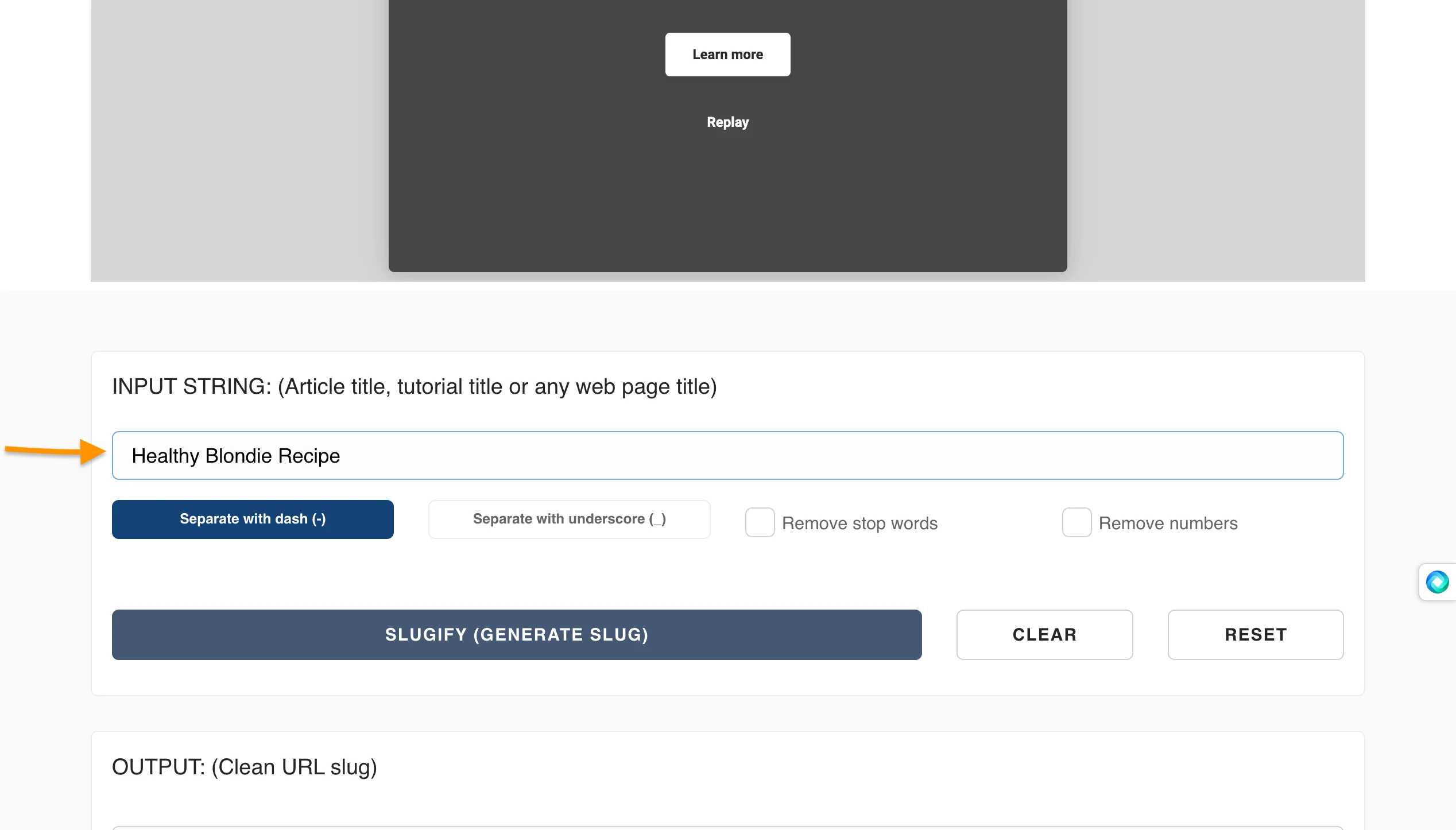
Step 1
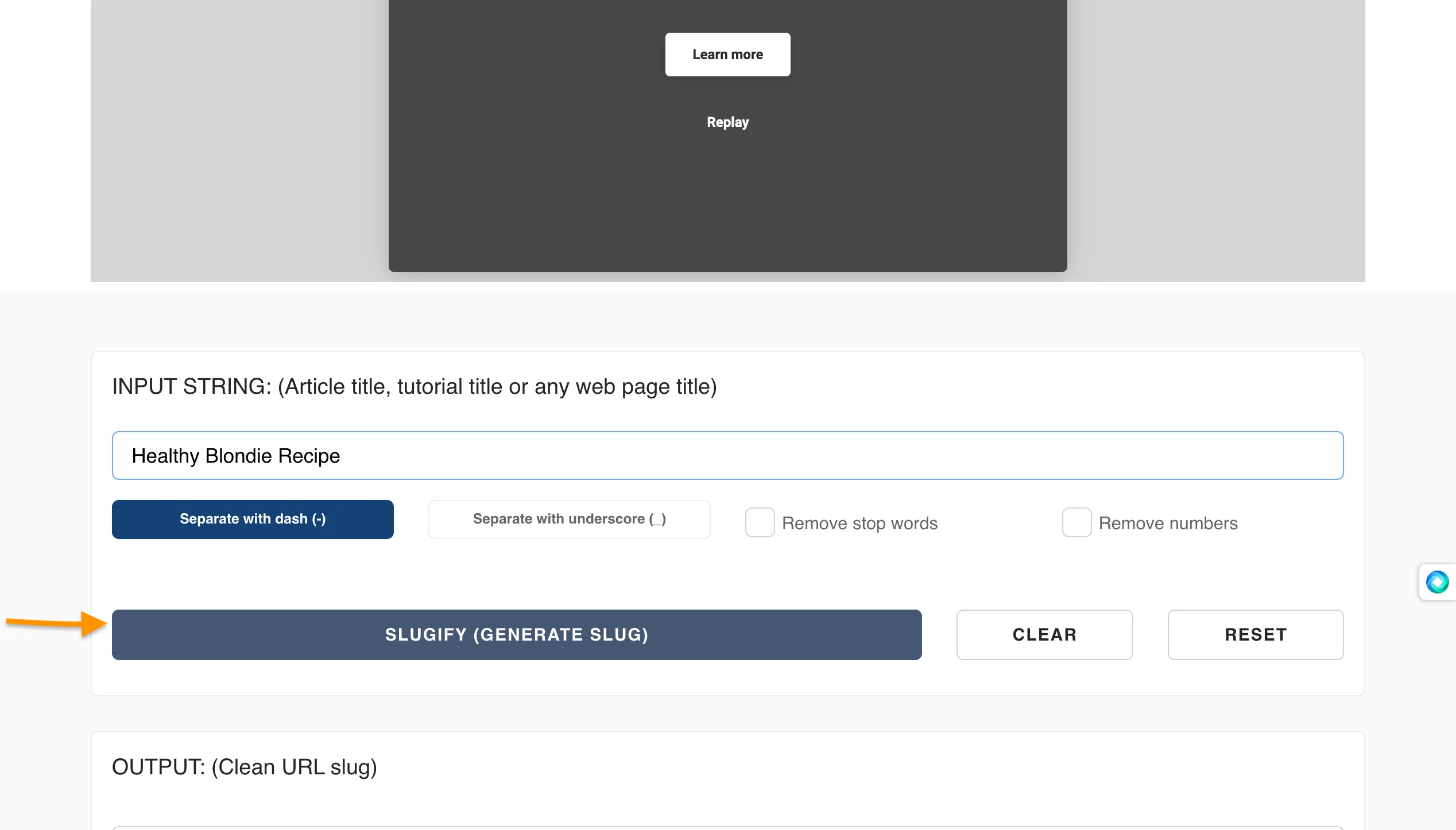
Step 2
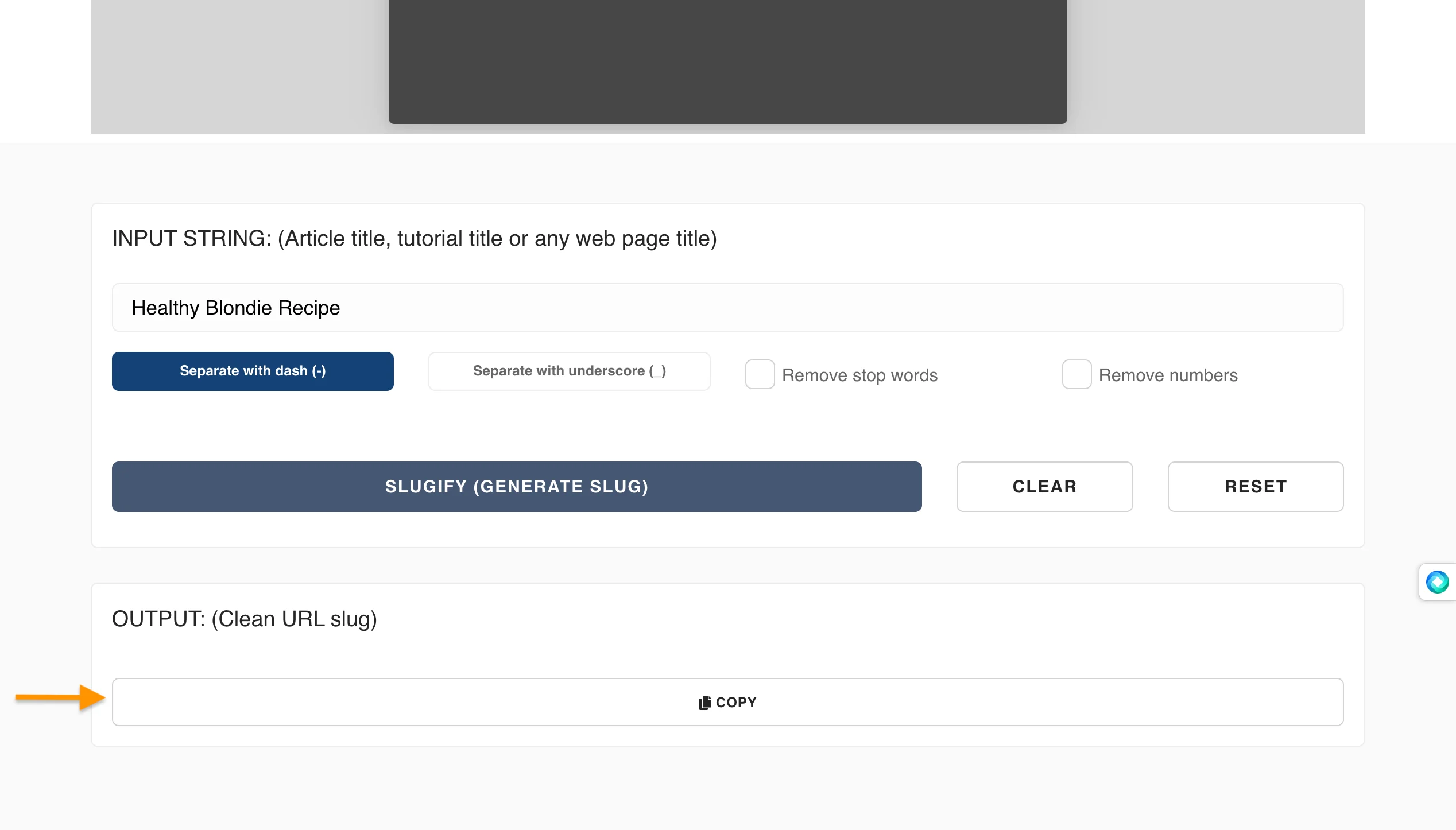
Step 3
Conclusion
As peculiar as the name is, URL slugs are an important part of the internet in identifying websites. They help people find your content and can even make someone laugh. So next time you’re creating a URL slug, make sure it is clear and easy to remember. You’ll never know, it might be the very thing that helps you land the job of your dreams.
'The Codecademy Team, composed of experienced educators and tech experts, is dedicated to making tech skills accessible to all. We empower learners worldwide with expert-reviewed content that develops and enhances the technical skills needed to advance and succeed in their careers.'
Complete Payment to Unlock Full Guide & Source Code
You are viewing the 30% preview. Join TopCourseAI Pro to unlock the remaining 70% of this article, unblur all code snippets, and gain full access to all 412 technical projects and guides.
Ready to access the complete step-by-step tutorial?
Gain full unhindered access to all 412 technical projects and guides, unblur all source code snippets, and download runnable scripts.
Create a Resume Using ChatGPT
Next BlueprintCreate and View a Web Page on Your Computer
Related Blueprints & Guides
View all 166 →Accessibility on the Platform
Codecademy is committed to providing a high-quality learning experience for all learners. That includes accommodating different usage forms such as auditory, motor, or visual restrictions, limited hardware, or other acce...
Web developmentAffordances, Signifiers, and Clickability
For users on the web, the mouse click is perhaps the most fundamental human-computer interaction. The webbecamethe web partially through the power ofhypertext, or text in one document that links to other documents or res...
Web developmentAuthentication and OAuth
Authenticationis the process used by applications to determine and confirm identities of users. It ensures that the correct content is shown to users. More importantly, it ensures that incorrect content is secured and u...
Ready to build production-grade AI systems?
Enjoyed this guide? Continue exploring our library of 166+ production blueprints, multi-agent swarms, and autonomous agent systems with 100% unblurred, executable source code.